Step 01
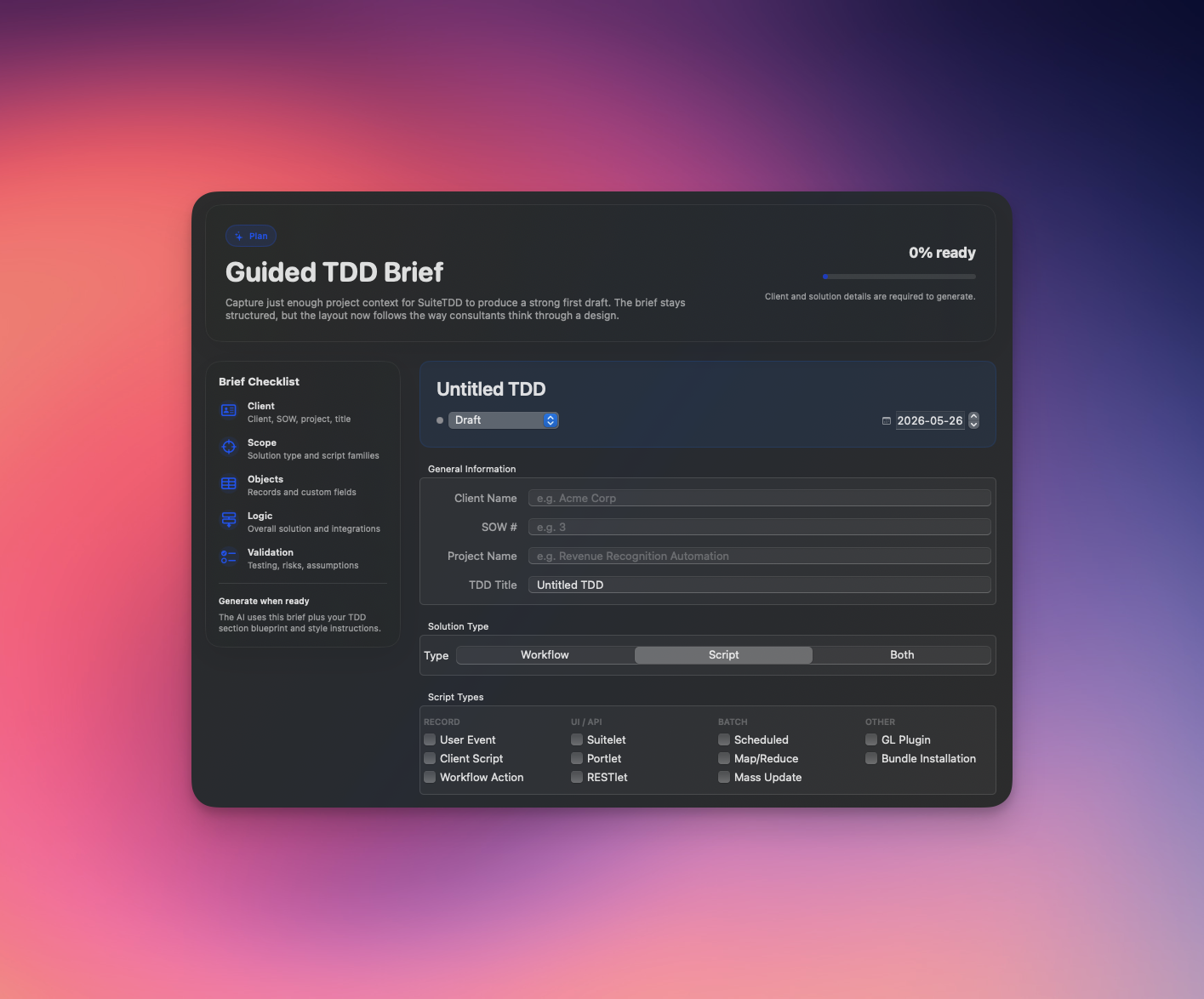
Fill the Guided Brief
Walk through 5 steps: client info, records & fields, script types, solution outline, and any extra context. A progress bar and sticky rail show exactly where you are — no blank‑page anxiety.
SuiteTDD turns NetSuite requirements into client‑ready TDDs using a local AI model. Your project data never leaves the device — no cloud, no logs, no surprises.
SuiteTDD structures the boring parts — client, records, scripts, fields — and lets AI write the words. You stay in control of every section.
Walk through 5 steps: client info, records & fields, script types, solution outline, and any extra context. A progress bar and sticky rail show exactly where you are — no blank‑page anxiety.
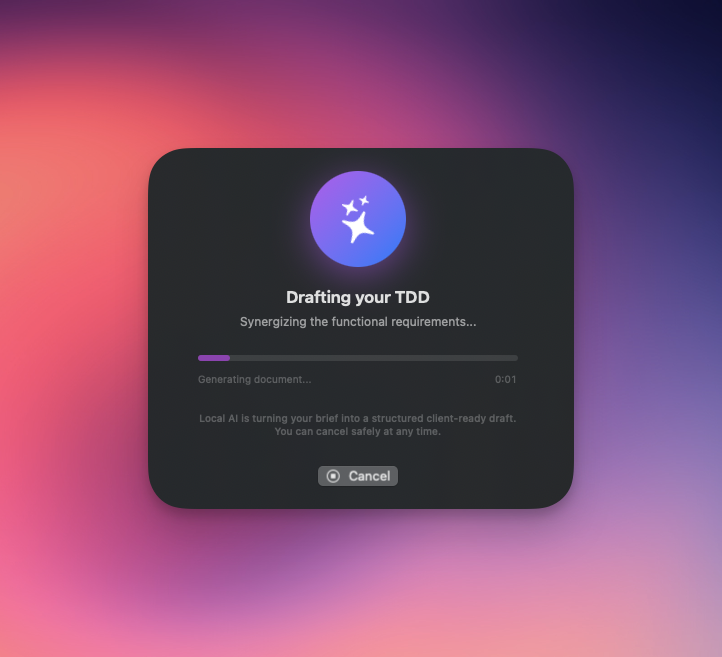
Hit Generate and watch the AI draft a structured TDD section by section — overview, records, fields, scripts, deployment notes — all running on your Mac with zero cloud calls.
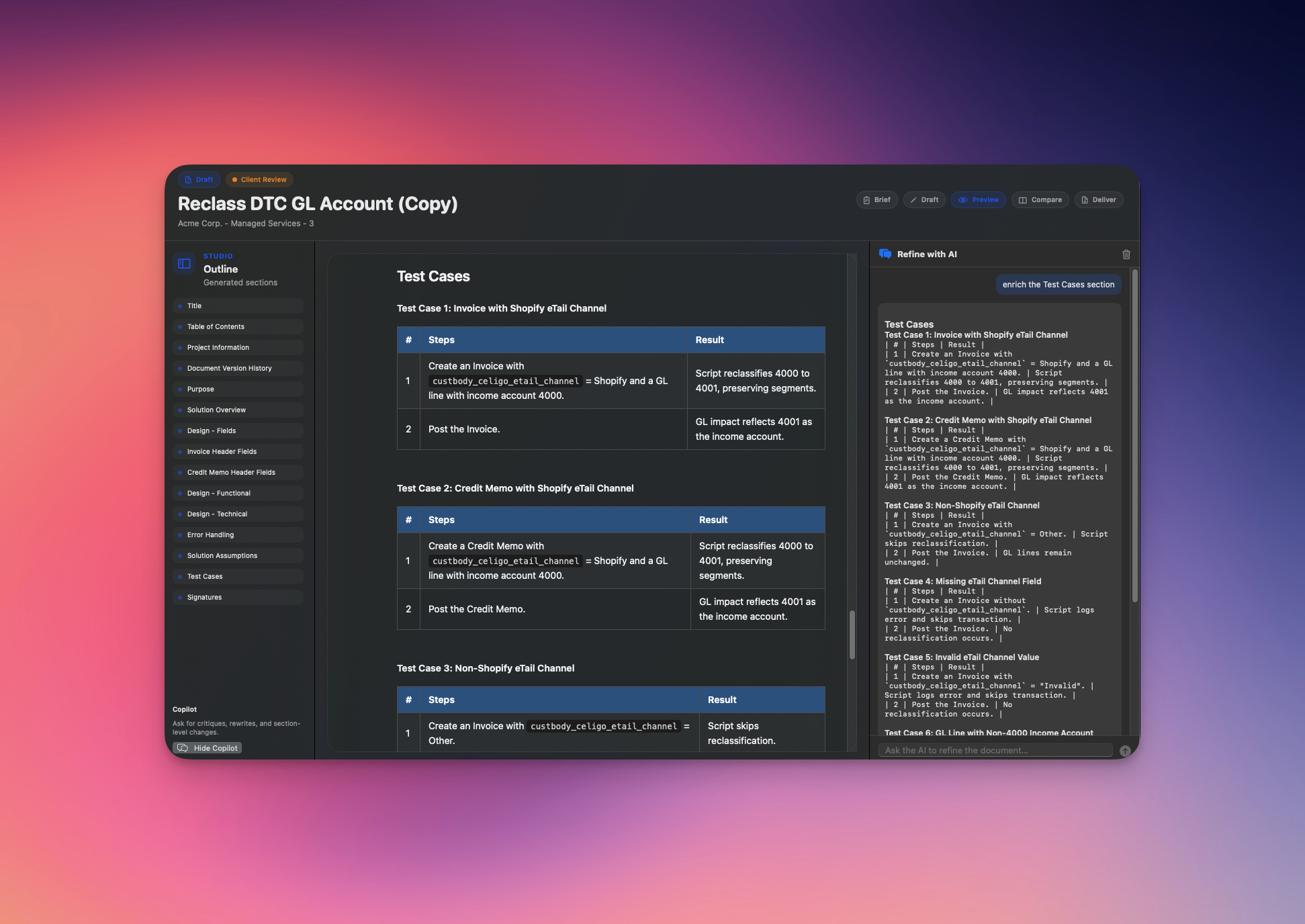
Switch between Draft, Preview, and Compare modes. Use the AI chat to tighten sections.
When the Deliver tab shows all green, export to .docx
with your client's style template.
SuiteTDD runs the model on‑device using Apple's MLX framework. There is no API key, no proxy, no "anonymous telemetry." If your Wi‑Fi drops in the middle of a generation, nothing changes.
Every section, status and field exists because someone needed it at 9pm before a kickoff. Translating requirements from English to NetSuite, so you don't have to.
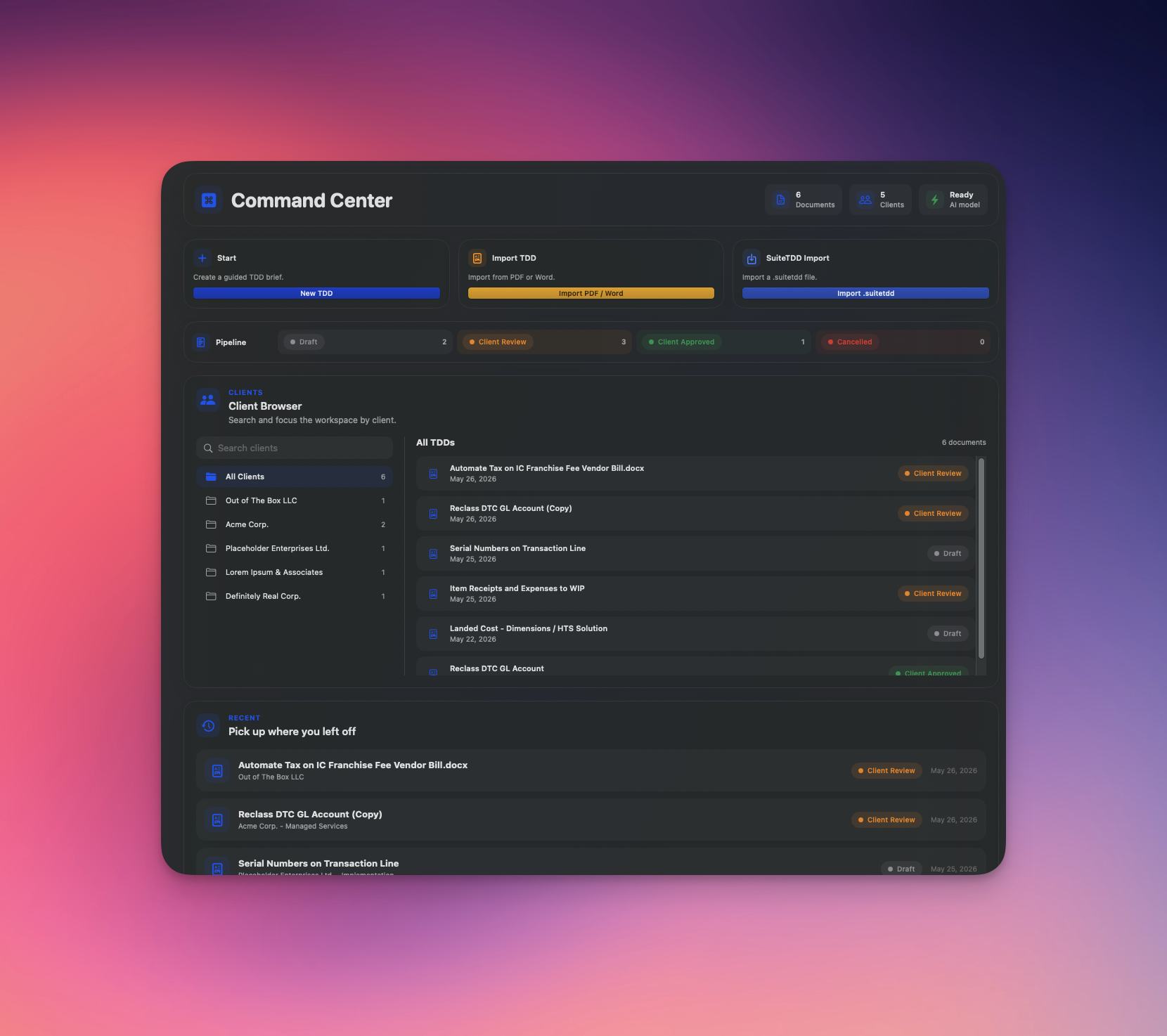
A workspace dashboard with at‑a‑glance metrics, quick‑start action cards, a pipeline status board, and a searchable client browser — replaces the old blank state.
A 5‑step guided brief with a progress bar and sticky rail. Fill in requirements step by step — no more staring at an empty form wondering where to start.
Five dedicated views — Brief, Draft, Preview, Compare, and Deliver — with a persistent header bar, toggleable outline sidebar, and an export‑readiness checklist.
Draft 80% there? Open the chat panel and ask the AI to tighten a section, expand test cases, or add error handling — changes merge into the right spot.
Drop in an existing TDD as a PDF or .docx and SuiteTDD extracts the form fields and reformats the content into your configured sections — no re‑typing.
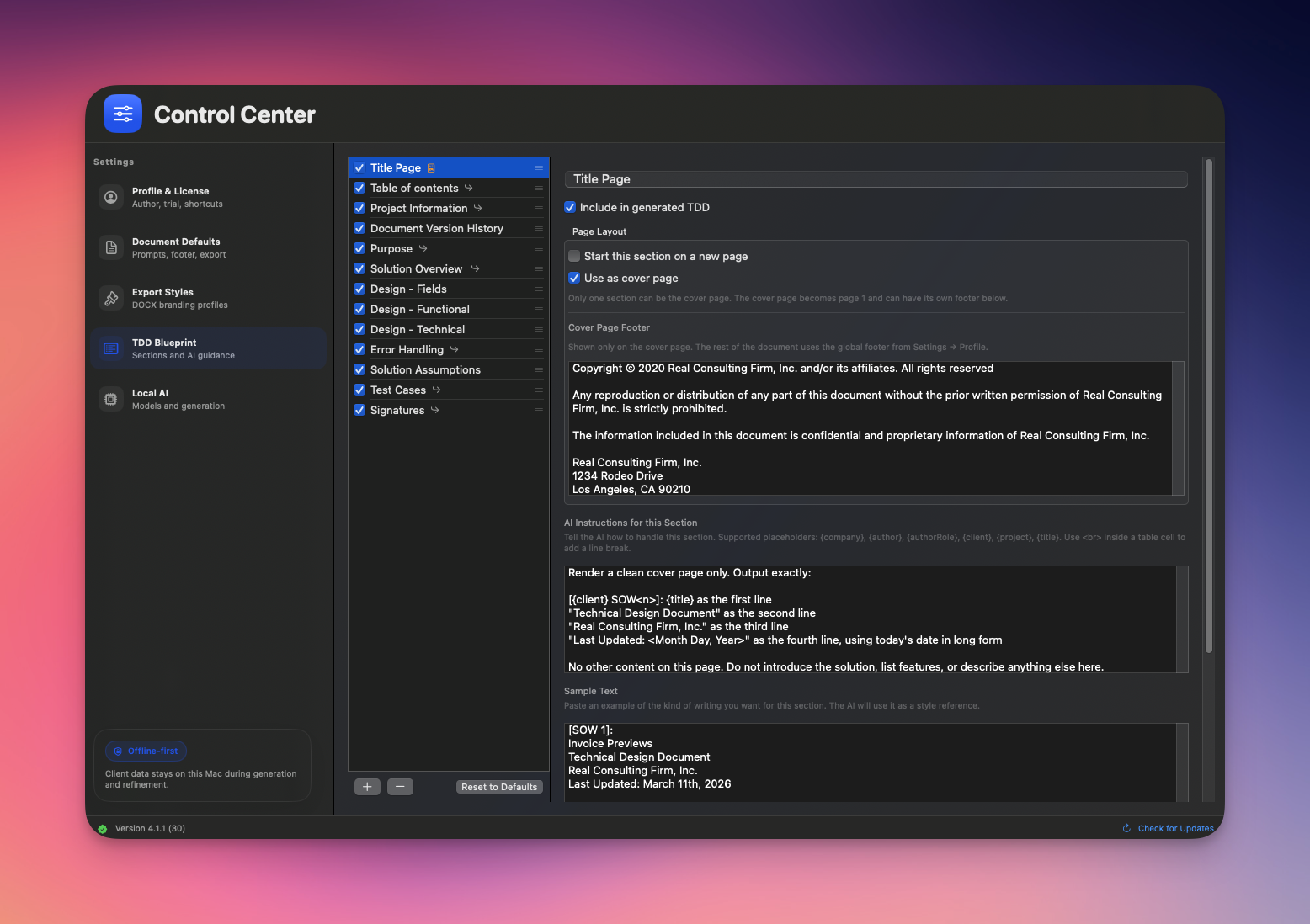
Customise the cover page, fonts, heading scale and accent. Save a profile per client; reuse it forever.
Records, fields with header/sublist placement, script types, solution overview — first‑class form fields, not free‑text prompts.
Native Word output, formatted with headings, tables and your style template. Ready to email a stakeholder.
Move a TDD from Draft → Client Review → Client Approved → Cancelled with one click. Stays in sync with the sidebar.
The Command Center replaces the old blank state with a living dashboard — at‑a‑glance metrics, quick‑start action cards, a pipeline status board, and a searchable client browser.
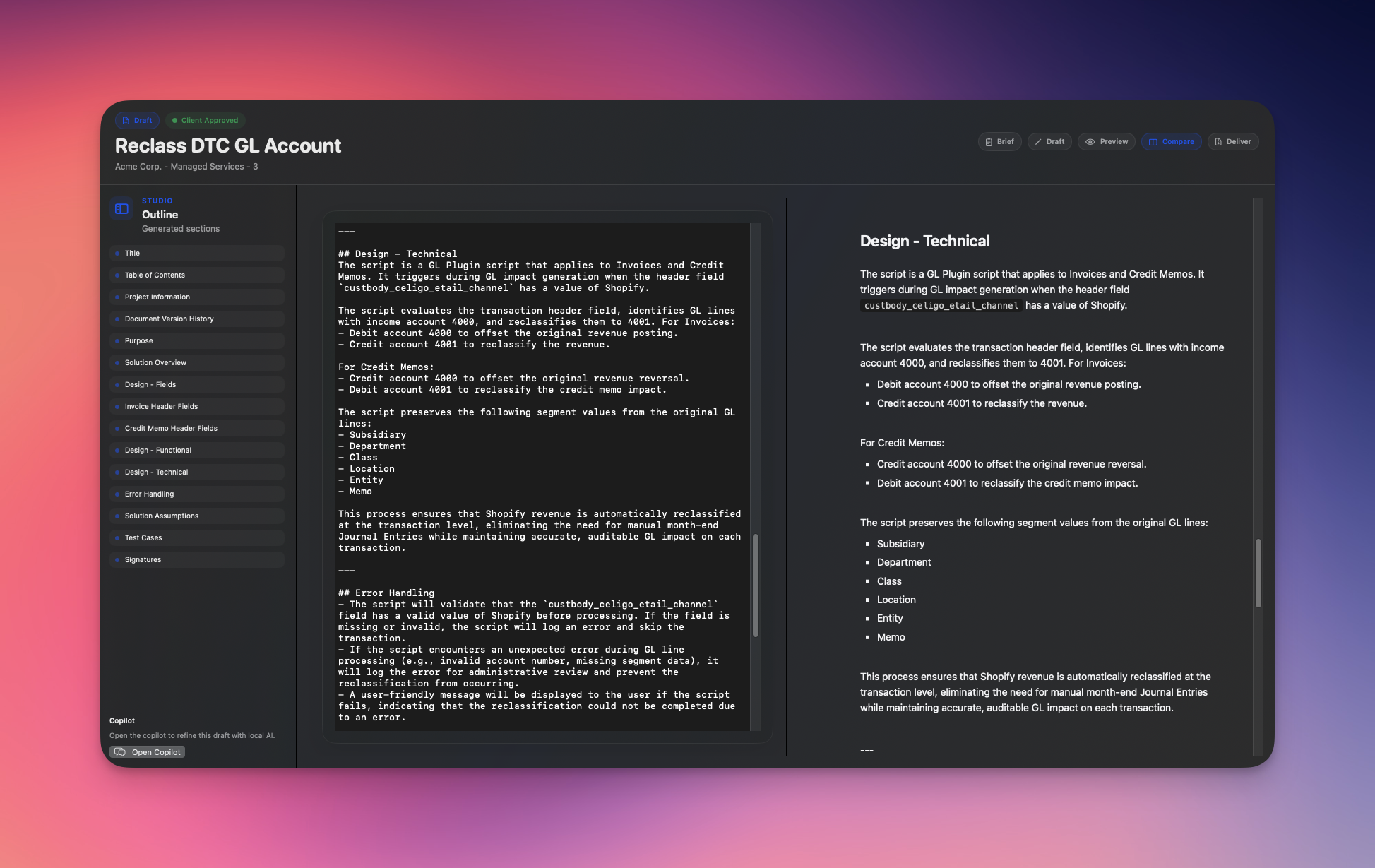
SuiteTDD's editor is split: raw markdown on the left, rendered TDD on the right. Tweak a sentence, fix a field ID, rewrite a section heading — the formatted preview keeps up with every keystroke.
Pick fonts, accent colour and heading scale once. SuiteTDD renders every export with your brand — cover page, page numbers, tables of records, everything.
Run it on your Mac, draft a few real TDDs, then decide. No card up front.
Lifetime access. Free lifetime updates — new models, new script types, every release on us.

“Every customization in a NetSuite project starts the same way: a blank TDD and a lot of copy‑paste from the last one. I got tired of it, so I built SuiteTDD — the tool I wanted, on my own machine, now available to everyone who’s felt the same pain.”
Made with ❤️ by Mounir, in Toronto 🇨🇦
Yes. The model runs through Apple's MLX framework on your Mac's Neural Engine. The app makes exactly two kinds of network call: a licence check on launch, and a model download the first time you pick a new one. Neither sees your project content.
macOS 14 (Sonoma) or later, on Apple Silicon (M1 and up). Intel Macs aren't supported — MLX needs the Apple Neural Engine. 16 GB of RAM is comfortable for the default model; 32 GB lets you run the bigger ones.
Yes — and you should. SuiteTDD writes the structural 70% (overview, record/field tables, SuiteScript scaffolding, deployment notes). The last 30% — actual business logic, edge cases, negotiated scope — is yours. The point isn't to replace you; it's to skip the typing.
Pick fonts, accent colour, heading scale and a cover page once, and SuiteTDD will reuse that style for every export. Per‑client style profiles let you ship the right look automatically.
Each license is tied to one Mac. If you switch machines, email mounir@suitetdd.com and I'll transfer it — no questions, no waiting.
No, and probably never. The local‑first promise depends on running an MLX model on Apple Silicon — porting that to Windows or a browser would mean punting it to a cloud, which defeats the point.
It means the model is working. (And someone on the team has played a lot of SimCity 2000.)
Hand SuiteTDD your solution outline, records and fields — it drafts the structured 90% so you can spend your time on the 10% that actually matters.